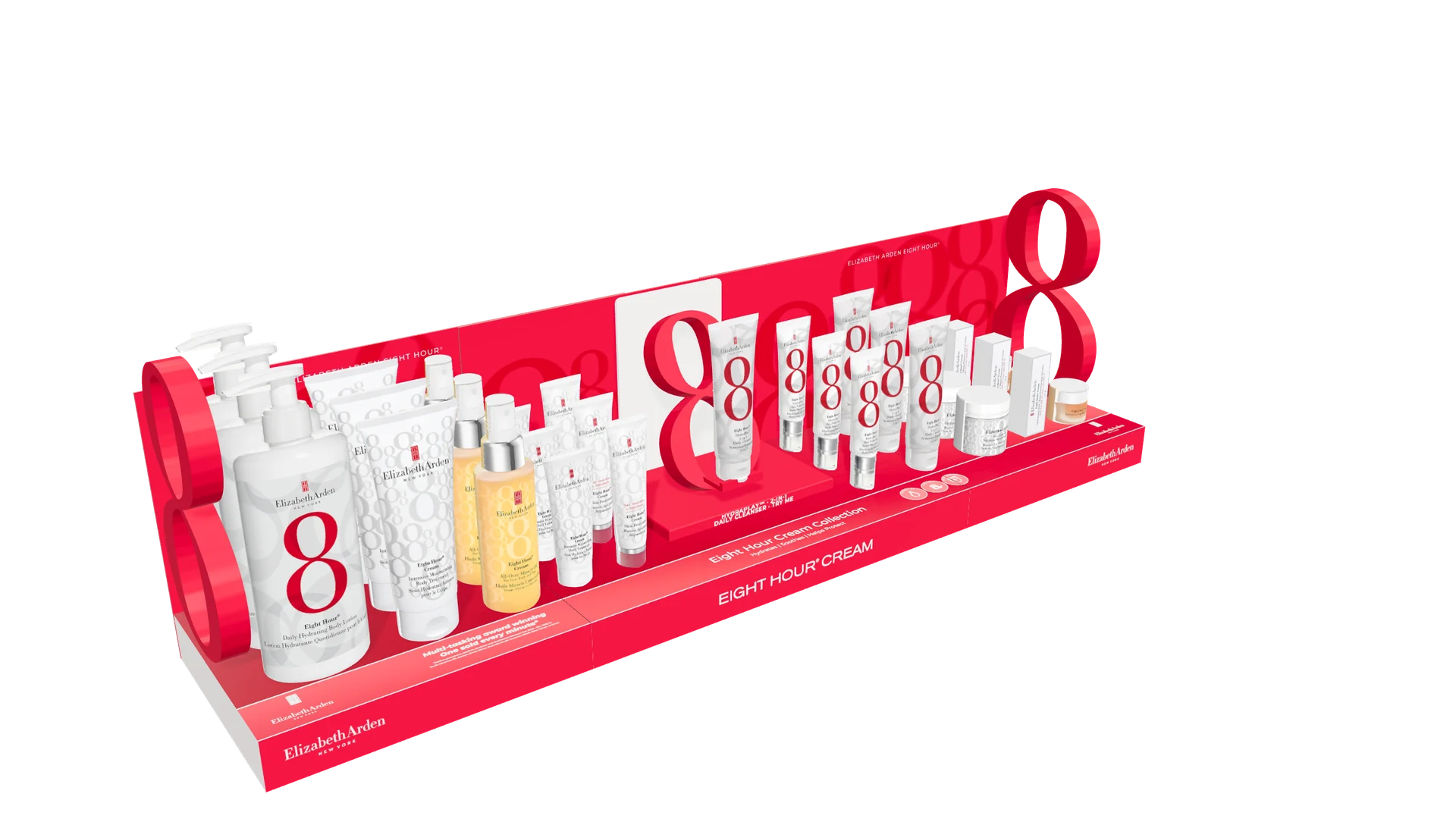
Select Explore in 3D to turn, zoom and compare. Interactive download: approximately 10.4 MB.Visual concept. Sizes and shelf fit subject to confirmation.
01See the whole idea.Turn it around. Get close. Look from above.
02Make the comparison.Switch colours, widths and display options.
03Keep everyone looking at the same thing.Share a link that brings back the chosen view.
The service
More ways to make the idea land.
CFX brings creative direction, visual design and interaction together. The result is a presentation people can get into.
01 / Retail in 3D
Make room for the brand.
Explore a display before it becomes a physical sample. Compare the form, branding and product arrangement in context.
Display concept visualisation
Agreed layout and colour options
Interactive review link + stills
For brand teams, shopper agencies and display makers.
02 / Product experiences
Put the product in their hands.
Give a launch, sales conversation or product page an interactive focal point. Let people inspect what makes it worth a closer look.
Browser-based product exploration
Selected finishes or variants
A showcase ready for your website
For product brands, launch teams and sales teams.
03 / Pitch & present
Help the room see it.
Bring a proposed object, installation or branded space into the conversation. Show the idea clearly and compare directions together.
A focused interactive concept
Presentation views and stills
One link for the review team
For agencies, pitches and experiential teams.
Selected work / Elizabeth Arden Eight Hour®
Retail in motion.
A modular shelf display brought into the browser. Explore the branding, compare configurations and see how the collection sits together.
Start with a focused use case. We scope the model, the choices and the output around what you need to show.
01 / Frame it
What needs to be understood?
Share the brief, reference material, artwork and any existing 3D files. We agree the audience, detail and decisions the experience should support.
02 / Shape it
Build the visual direction.
We develop the model and presentation, then review the form, materials and layout before adding the agreed interactions.
03 / Put it in view
Give people something to explore.
Receive the browser experience, selected stills and a clear handover. Further variants, rollout assets and updates can be scoped from there.
Questions.
What do you need from us?
A brief and a few useful references are enough to start the conversation. Existing 3D models, product photography, dimensions and brand artwork help define the scope. Modelling and asset preparation are quoted where needed.
Does it need an app?
No. The experience runs in a compatible web browser on desktop or mobile. This example uses WebGL 2, with a still image available before the interactive view loads.
Can it live on our website?
Yes. We can prepare an experience for your existing website. Integration, performance and any hosting requirements are agreed as part of the scope.
How is a project priced?
By the scope: the starting assets, modelling detail, number of options, interactions, revisions and final uses. A focused visual prototype and a full product configurator are different briefs. We agree the deliverables and fee before starting.
Something in mind? Let’s put it in view.
Send the idea, the artwork you have and the date you need it. We’ll agree the right level of detail and a clear scope.